Friday, 19 March 2010

Models So Far - Goose

The second model that I had to make was going to be a Goose. The Goose is the most important part of the story so I wanted to make sure that it looked as good as I could make it. Similarly to the farmer I wanted to create the goose in a cartoony manor. Again just like the farmer there is a lot more work to be done on the goose but I wanted to share my current progress

This is the model that I have. As i said, there is more work to be done but i was very happy with the overall outcome.


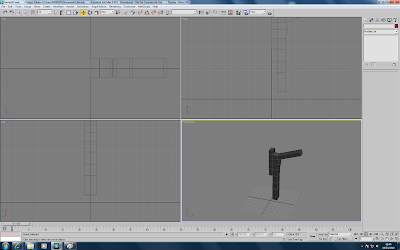
I started off with a simple box to model the body of the goose. In the same way as the farmer I was not sure how many polygons I would need so I tried to keep it low and add them if needed later.
I cut the box in half and started to work on the corners. This was to give shape to the goose's body.

I added a Symmetry modifier and added Turbosmooth to see how it looked.


I edited the front and back ends of the body to make them angle in like a Goose's body does.


Once I had the body sorted I wanted to make the tail and feathers for the back end of the goose. I started by extruding one of the poly's off the center of the back end of the body. I moved the vertices around so that they could be shaped into a tail.


I shaped the tail into feathers and put the Turbosmooth on. I felt the feathers did not stand out enough so wanted to edit them.


I extruded the feathers so that they stood out more.


The feathers with Turbosmooth on.


I manouvered some of the vertices and used the extrude tool to create the connection between the body and the legs.


I then extruding the polygon downwards to create the legs.


After completing the legs i then modelled the feet. This was done by extruding the bottom of the leg and forwards. I then moved the vertices and extrude tools to create the feet into a webbed foot like a Goose's. I then placed the symmetry tool on so that both legs were created.


The next step was to create the neck and head. I started to do this by extruding one of the polygons out. I repeated this a few times to create some vertices for me to edit the angle and shape of the neck. I did this to make it look more like a neck.

After the neck was created i extruded the polygons and made a head shape. The head was made by extruding the polygons a few times and then moving the vertices around. This allowed me to create the shape I wanted. Off of this head I extruded the polgons and used the Chamfer tool to create the beak. I moved the vertices around to create a sharp shaped beak just like a goose has.


Goose Model without Turbosmooth.


Goose Model with Turbosmooth.

Models So Far - Farmer

The first model that I have started working on is the farmer. As mentioned in previous posts I have decided that the animation is going to be quite cartoony. One of the reasons for this is that I have struggled in the past with the "modelling" side of things so think I might be able to gain more marks from focussing on the animation.

The Farmer isn't finished yet but I have it at a stage where I am quite happy with how it is and thought i'd share my progress with everybody.


This is where my farmer is at, it has arms, legs, fingers and a head, which are the key features that would need to be made on the model. I have taken a number of screenshots to show the progression of the model

I started the model with a simple box that would be the main body. I was not too sure how many polys / sections would be needed so I kept them to a small amount at the start. I could always add more if i found it was necessary.

From previous experiance of working with models, I have discovered that it is a very good method even if only for myself to use the "Symmetry" modifier. To use this the model has to be cut in half and then this modifier added. it gives the view of how the model would look if there was a line of symmetry down the middle. When it comes to it I can then put the model back together. In a way it makes the worktime half as long. This is only really beneficial if both sides are going to look the same.

I used the symmetry tool on the basic box and then started to make it look more like a body. To do this I moved some of the vertices to give a more rounded body. This gives the body a bit more definition with the idea of a waist and hips. I then extruded 2 of the bottom polygons out to make the legs. The length of the legs can always be edited later on to fit in more with the shape.

The next step was to extrude the arms out. This was done in the same that the legs were.

I then moved onto the feet. This was done in a similar way to the arms where i extruded out the polys to make a foot shape.

The next step was going to be making the fingers. From looking at other peoples blogs I had the feeling that this was going to be very tough. I thought about how the fingers of the farmer would be used in my animation and realised that they would never be solely focussed on. This made me feel better as I felt it was not necessary to have them looking perfect. I was quite happy with how my fingers finished looking as I know the trouble they have caused other people.

To create the fingers i cut into the end poly of the arm and then extruded the newly created Poly inwards. This created the effect of the gap between a person's fingers whilst the skin is still attached.

Fingers with Turbosmooth off

Fingers with Turbosmooth on.

I wanted to give the fingers a bit more definition as currently they were all pretty much the same length and shape. As already mentioned I was not too focussed on geting them to look perfect but wanted a realistic look. I stretched out the middle finger and moved the fingers about a bit to look more like a human hand.

The final step was to create the head. With symmetry on I extruded the neck polygons a few times upwards. I then took the extruded polys and moved the vertices into a more rounded head shape. This will need some more work done to it to give more definition of the face and facial features but I will come back to that at a later point.


Moodboard

I decided to create a moodboard to get an idea of what my models could look like. I have already decided that I want to make the animation very "cartoony" but it is important and useful to get an idea of what more of the realistic models also look like. I gathered a range of images to prepare for the actual making of the models and placed them into a moodboard.

Friday, 26 February 2010

Well Hellllo!!!!

This was me playing about with the morpher tool and then applying a lip sync. I didn't actually edit the lip sync movements but amusingly it turned out pretty good. I'm going to have a mess about with the morphing and the sounds to make it better at a later date but thought i'd update my blog with it!

Thursday, 18 February 2010

Storyboard

After choosing our 3 Fables to look at in more depth, we were then asked to narrow it down to 1 option and produce a storyboard of the events that occur in the Fable. I have decided to choose "The Goose and the Golden Egg Fable". I felt that this one could be made to look quite interesting and should be quite an enjoyable task.


I have produced two sets of Storyboards that follow on from each other. I am the first person to admit to my lack of drawing skills so i apologise for the lack of detail.

Friday, 29 January 2010

Semester 2 - Aesop's Fables

Semester Two starts with the outline of the task ahead. This is to look at some Aesop's Fables and choose 1 to create a short animation film of it. This would include the creation and modelling of the characters and objects in the fable whilst also looking into the new techniques of animation. 3D Studio Max will be used again in this semester after some experiance was gained in the first semester.

After being given the task for Semester Two, the first job was to look through a wide range and narrow them down to 3 possible Fables that I may like to expand on. This will allow me to choose one from these three to spend a lot of time and detail on.

Some of the things I will need to think about are:

-What characters are going to be involved in the Fable
-What modelling was going to be needed to be done
-Consider how the characters were going to be animated.

I used the link given to us for the Aesop Fables website, which gave me a list of all the available Fables. (http://www.aesops-fables.org.uk)

The Hare and the Tortoise:
(http://www.aesops-fables.org.uk/aesop-fable-the-hare-and-the-tortoise.htm)

This is probably the most known fable, which teaches about how the hasty and rash people will get caught out by the people who take things slow, steady and safely. The Fable discusses how A Hare boasts of its speed and sets a challenge to anyone for a race. Surprisingly a Tortoise accepts the challenge even though it is known as a very slow animal. The Hare flies ahead in the race but gets cocky and takes a nap before the finish line allowing the tortoise to overtake and win the race. The moral of the Fable is "Plodding wins the race".

The Goose With the Golden Eggs:
(http://www.aesops-fables.org.uk/aesop-fable-the-goose-with-the-golden-eggs.htm)

This Fable is about a farmer who surprisingly finds that his goose has laid a golden egg in the morning. The farmer believes it to be a prank but on further inspection realises that this is egg is real and made from gold, which he then sells. This process happens on many mornings and the farmer gains a lot of money until in a haste to make money quickly he cuts the goose open with the theory of finding gold however does not find anything. The moral of the Fable is "Greed oft o'er reaches itself".

The Hares and the Frogs:
(http://www.aesops-fables.org.uk/aesop-fable-the-hares-and-the-frogs.htm)

This Fable talks about how a bunch of hares are scared daily by larger and louder animals in their habitat. One day a stampede of horses is coming towards them so they jump to the edge of a lake where a group of frogs scuttles away as they are scared of the hares. The hares find this amusing and goes with the moral of "There is Always Someone Worse Off Than Yourself".